
Oxyd #
Oxyd is a system and process monitoring tool written in Rust. It lives in your terminal and gives you a real-time view of CPU, memory, disk, network and running processes, with the ability to manage those processes directly from the interface.
Table of Contents #
Features #
- Multiple Views: Dedicated tabs for an overview, CPU, memory, processes, network, disk, notifications and settings.
- Live Metrics: Asynchronous collectors read straight from
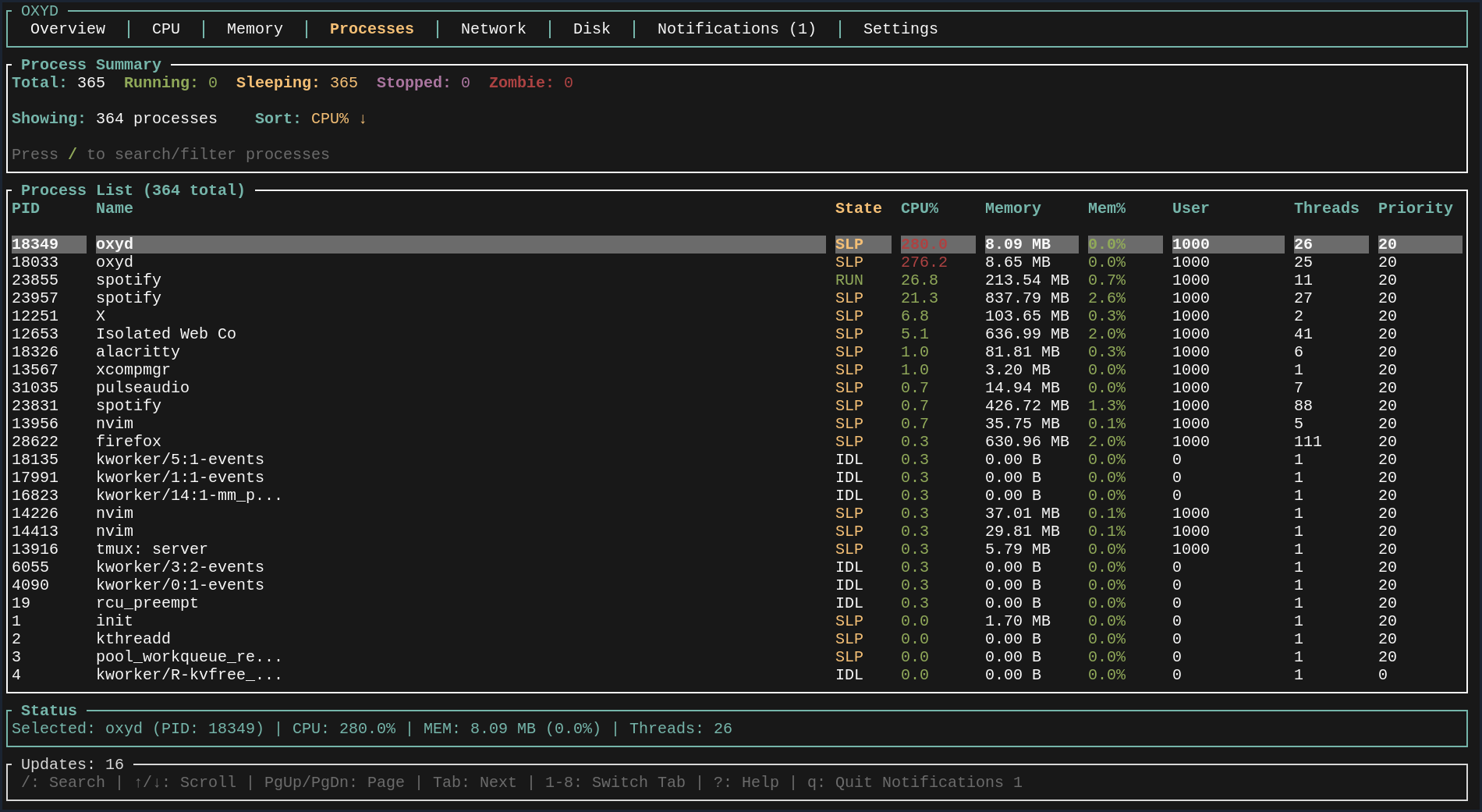
/procand friends for up-to-date system statistics. - Process Management: Search, sort and filter processes, then kill, terminate, suspend or continue them without leaving the TUI.
- Configurable Alerts: Set alert thresholds and review a history of notifications.
Collectors #
Currently supported collectors:
- CpuCollector - Reads from
/proc/stat - MemoryCollector - Reads from
/proc/meminfo - DiskCollector - Uses
dffor disk usage - NetworkCollector - Reads from
/proc/net/dev - ProcessCollector - Aggregates process metrics
Prerequisites #
Before you get started with Oxyd, make sure you have the following installed:
- Rust (including the Cargo build system) - install from rust-lang.org
- Git
- Optional: Just
Note: Currently only Linux is supported.
Getting Started #
Building the Project #
If you prefer using just, run:
just InstallAfter that Oxyd will be installed system wide and available to use.
Or do it the old fashioned way - clone the repository and build it:
git clone https://github.com/duolok/oxyd
cd oxyd
cargo build --release
cargo run --release
Keyboard Shortcuts #
| Key | Action |
|---|---|
1-8 |
Switch between tabs |
Tab / Shift+Tab |
Next/Previous tab |
↑ / ↓ or j / k |
Navigate lists |
PgUp / PgDn |
Page up/down |
/ |
Search processes |
K |
Kill selected process (SIGKILL) |
t |
Terminate process (SIGTERM) |
s |
Suspend process (SIGSTOP) |
c |
Continue process (SIGCONT) |
r |
Refresh process list |
? |
Show help |
q / Esc |
Quit |
Gallery #
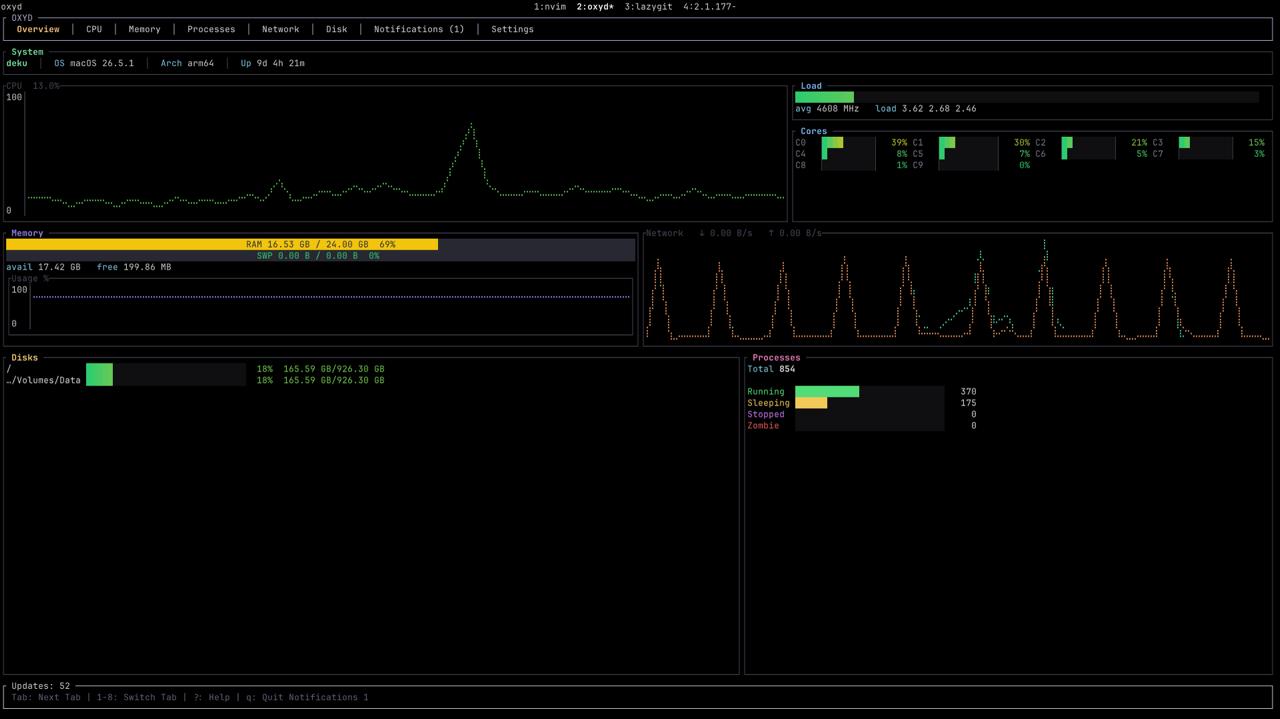
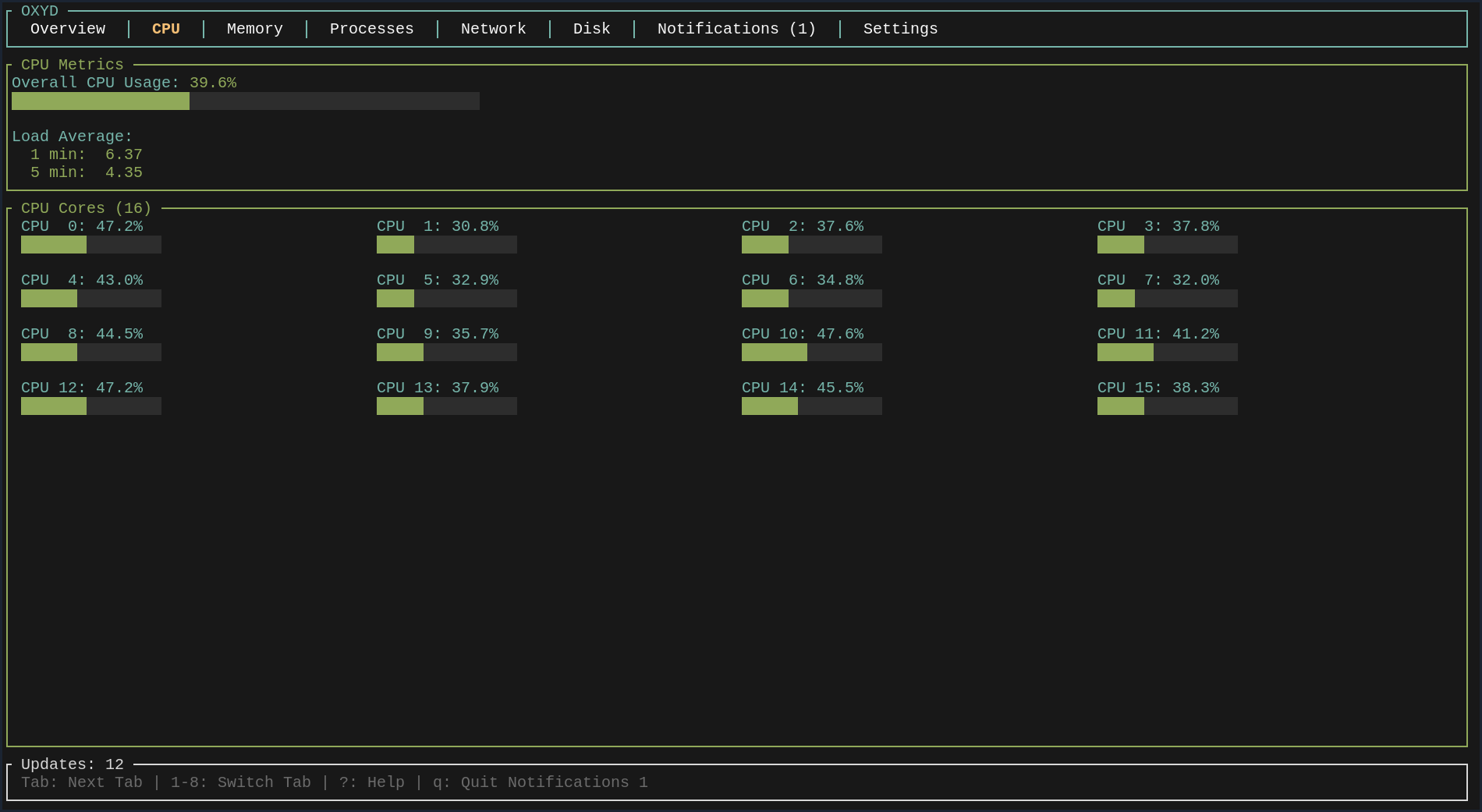
Some screenshots from my terminal - colors might look different for you based on your terminal configuration.
Architecture #
Oxyd is split into a small set of focused crates:
oxyd/
├── oxyd-core/            # Core engine and orchestration
├── oxyd-collectors/      # System metrics collectors
├── oxyd-domain/          # Domain models and traits
├── oxyd-process-manager/ # Process management implementation
└── oxyd-tui/             # Terminal user interface
It is built with:
- tokio - Asynchronous runtime
- ratatui - TUI framework
- crossterm - Terminal manipulation
- serde - Serialization framework
Contributing #
If you’d like to contribute to Oxyd, feel free to submit issues or pull requests on the repository. Make sure your code follows the existing style and includes necessary tests.
License #
Oxyd is released under the MIT License. See the LICENSE file in the repository
for details.